


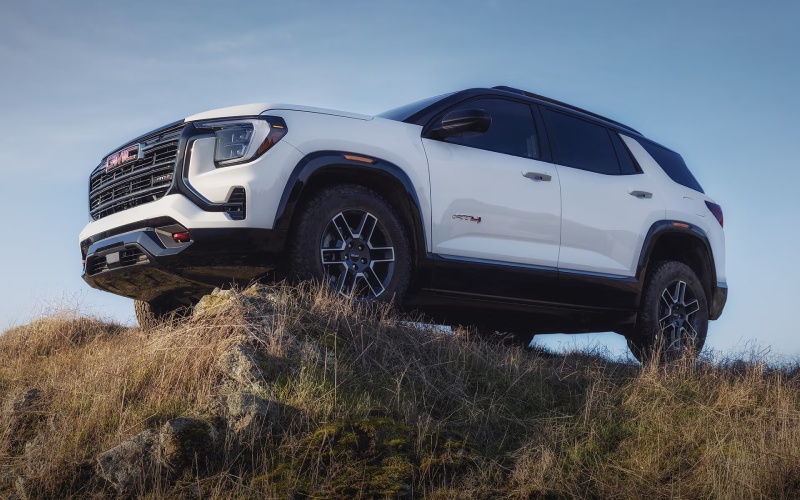
Leesburg GMC - Is the 2027 GMC Terrain's Technology Easy to Use for Ashburn, VA Commuters?
The right compact SUV technology should make a daily drive simpler, not more distracting. For shoppers considering a new GMC SUV, the big question is not only whether the cabin looks modern, but whether the systems are easy to learn, quick to access, and useful in the moments that matter. The 2027 GMC Terrain is designed around that exact expectation, giving drivers a technology-forward cabin that feels practical rather than overwhelming.
For commuters traveling from Ashburn toward Leesburg, Tysons, Reston, or the Dulles corridor, cabin technology can have a real effect on the quality of the drive. Clear directions, responsive audio controls, helpful driver assistance, and smart visibility tools all work together to reduce friction. Leesburg Buick GMC helps shoppers compare these features in person, serving Ashburn, Sterling, and Winchester with a shopping process built around clarity and confidence.
Why Ease of Use Matters in a Compact SUV
Many compact SUV buyers want advanced technology, but not every driver wants a learning curve. A system can have impressive features and still feel frustrating if the menus are difficult to navigate or the display is hard to read at a glance. That is why the Terrain’s cabin layout matters. GMC places important information where drivers can see and reach it naturally, helping keep the experience comfortable during regular commuting, errands, and longer drives.
The benefit is especially noticeable for drivers who move between local roads, highways, parking garages, and business centers in the same day. Instead of juggling multiple devices or searching for basic settings, the Terrain is intended to help centralize key functions. That includes infotainment, available navigation support, vehicle settings, audio, phone connectivity, and available camera views, depending on the model and equipment.
The Large Display Helps Keep Information Clear
One of the most talked-about technology elements is the available 15-inch diagonal Premium GMC Infotainment System. A large display is not just about visual impact. It can make maps easier to follow, menus easier to read, and touchscreen controls easier to select while parked or stopped. For shoppers who use navigation often, the extra screen space can make a meaningful difference.
The display also helps the Terrain feel current and premium. Instead of a small screen surrounded by crowded buttons, the cabin presents a more streamlined command center. Drivers can access media, compatible phone features, and available connected services with less visual strain. The result is a cabin that feels more organized, which is valuable for anyone who spends a significant amount of time behind the wheel.
Google Built-In Compatibility Adds Familiar Convenience
Google built-in compatibility is another reason the Terrain’s technology can feel approachable. Many drivers already use Google services outside the vehicle, so bringing familiar tools into the cabin can reduce the adjustment period. With compatible services and properly equipped models, drivers may be able to use select apps, voice assistance, and navigation support in a way that feels more integrated than relying only on a phone screen.
This matters during everyday commuting because plans can change quickly. A meeting location may shift, traffic may build, or a driver may need to find a stop along the route. Voice-supported interaction and integrated navigation can help reduce the need to handle a device. As always, availability may vary by trim, package, and connected service requirements, so shoppers should verify specific equipment before choosing a Terrain.
Helpful Technology to Review on a Test Drive
Online research is valuable, but technology should be tested in person. A shopper can learn a lot by spending a few minutes in the driver’s seat before leaving the lot. The goal is to see whether the screen, controls, menus, and driver assistance information feel natural.
- Display clarity: Check how easy it is to read maps, audio information, and vehicle settings from the driver’s seat.
- Menu layout: Move through common screens and see whether the system feels logical after a few taps.
- Phone pairing: Ask to review compatible smartphone connection options and how calls or music appear on the display.
- Voice support: Try available voice commands for directions, media, or simple cabin functions where equipped.
- Camera views: If the model includes available High Definition Surround Vision, test it while parking or backing up.
- Driver alerts: Review where safety alerts appear and how they communicate information without feeling intrusive.
These checks help shoppers understand the Terrain beyond a brochure description. Technology should feel useful in routine moments: finding a destination, choosing a playlist, backing into a space, or adjusting a setting before a drive. If those tasks feel simple, the SUV is more likely to remain satisfying long after the first week of ownership.
Driver Assistance Can Support a Calmer Routine
Technology in the Terrain is not limited to infotainment. GMC Pro Safety features can help support awareness in traffic and around pedestrians, cyclists, and other vehicles. Systems such as Automatic Emergency Braking, Forward Collision Alert, Lane Keep Assist with Lane Departure Warning, Front Pedestrian Braking, Following Distance Indicator, and IntelliBeam automatic high beams are designed to assist the driver in common situations.
For Ashburn-area commuters, this kind of support can be especially helpful when traffic density changes quickly. A morning drive may include neighborhood streets, multilane roads, and crowded parking lots all within a short distance. Driver assistance features do not take responsibility away from the person behind the wheel, but they can add helpful alerts and support when conditions require extra attention.
Available Camera Technology Makes Parking Easier
Parking confidence is an important part of everyday usability. The Terrain’s compact size already helps, but available High Definition Surround Vision can make low-speed maneuvering even easier. This system can provide a more complete look around the vehicle, which may help drivers judge distance from curbs, lines, nearby vehicles, and obstacles.
That can be useful in office garages, grocery store lots, town centers, and shared residential parking areas. When a driver can better see the space around the SUV, parking becomes less stressful and more precise. Shoppers who frequently park in tight areas should make this technology a priority during the test drive and confirm whether it is included on the specific model being considered.
How to Decide If the Terrain's Technology Fits You
The best way to evaluate the Terrain is to match its technology to your own routine. A driver who values navigation may focus on the large infotainment screen and Google built-in compatibility. A driver who frequently parks in tight spaces may prioritize available camera systems. A driver who spends time on busy commuter routes may focus on GMC Pro Safety and the way alerts are presented in the cabin.
- List your daily needs: Identify whether navigation, phone connectivity, parking support, or driver assistance matters most.
- Compare equipment: Review trim and package differences to see which model includes the systems you want.
- Test common tasks: Pair a compatible phone, enter a destination, adjust audio, and practice parking during the visit.
- Ask about connected services: Confirm which features require compatible services, subscriptions, or active data connections.
- Think long term: Choose the technology package that will remain helpful as your commute and family needs evolve.
Taking this approach helps shoppers avoid paying attention only to the most visible screen or the longest feature list. The better question is how each feature supports daily driving. The Terrain’s strength is that its technology is designed to feel integrated into the vehicle rather than added as an afterthought.
Frequently Asked Questions:
Is the 2027 GMC Terrain's infotainment system easy for first-time GMC drivers to learn?
Yes, the Terrain is designed to feel approachable, especially with its large available infotainment display and clear menu structure. A first-time GMC driver should still spend time during the delivery or test drive reviewing phone pairing, audio controls, available navigation, and vehicle settings, but the layout is intended to make everyday functions easy to access.
Does Google built-in replace my smartphone?
No. Google built-in compatibility can provide integrated access to select Google services on properly equipped models, but many drivers will still use a compatible smartphone for calls, messages, music, and personal apps. The advantage is that the vehicle can bring key connected tools into the cabin in a more convenient format.
Should I choose available High Definition Surround Vision?
If you regularly park in tight spaces, use garages, or drive in crowded areas, available High Definition Surround Vision is worth strong consideration. It can help improve low-speed awareness around the SUV and make parking feel more controlled. Confirm availability on the exact model you are considering.
What should I ask before buying a Terrain with advanced technology?
Ask which features are standard, which are available, and which may require connected services. It is also smart to ask for a demonstration of the infotainment system, driver assistance settings, camera views, and smartphone compatibility before making a decision.
The 2027 GMC Terrain’s technology is easy to appreciate because it focuses on real driver needs: clear information, familiar connectivity, available parking confidence, and helpful safety support. For Ashburn, VA commuters comparing compact SUVs, that balance can make the Terrain feel like a smart everyday choice. A thorough test drive remains the best way to confirm that the screen, controls, alerts, and available features fit your personal routine.